

Tools and Skills Guide
Add, configure, test, and share executable capabilities
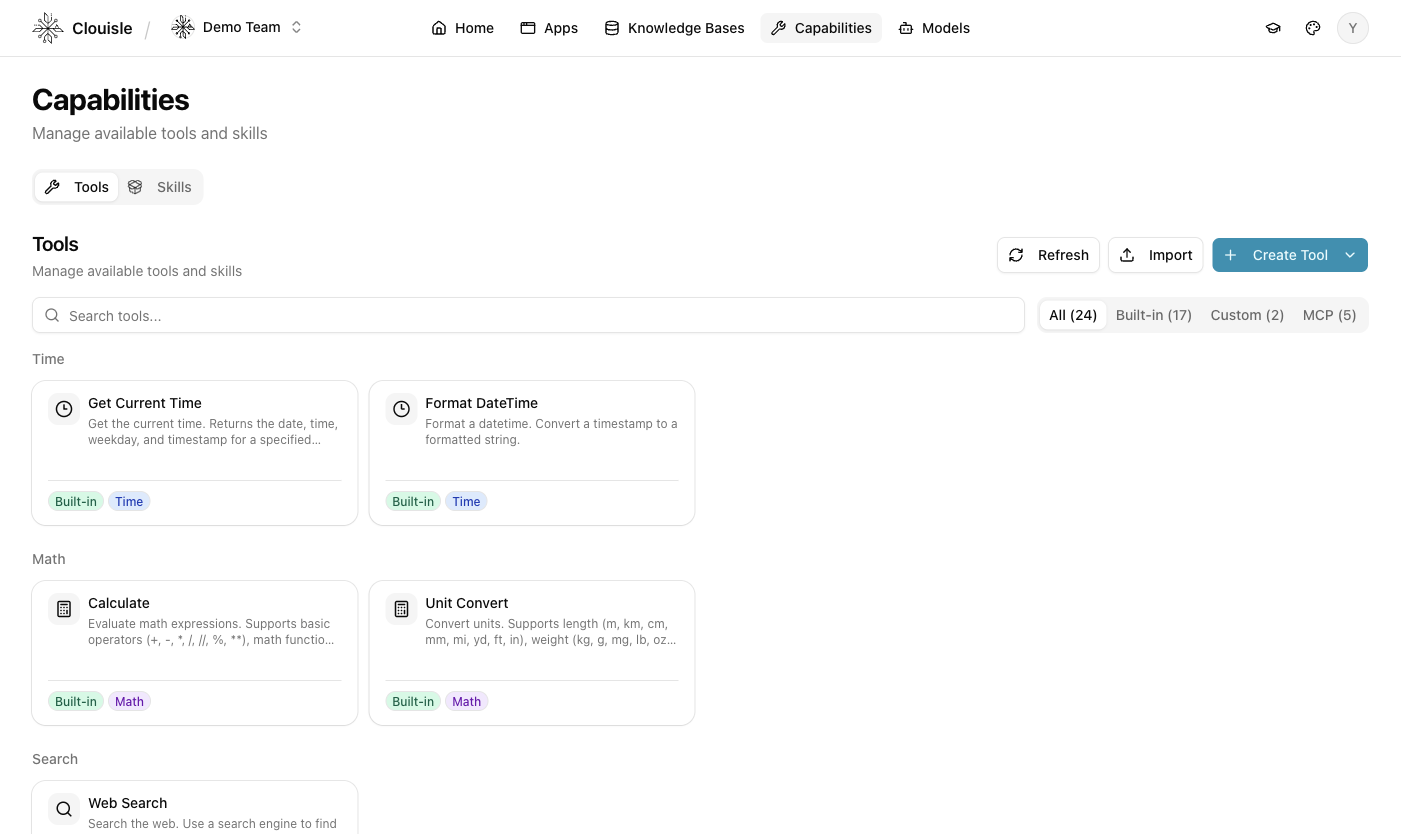
Tools let Agents and workflows do more than generate text: read the time, do math, search the web, call external APIs, query a database, or run code in a sandbox. By origin they are built-in tools (registered by the platform; web search is configured once by the site administrator), team custom tools (HTTP, code, database), MCP servers, and Skill packages. Beyond the definition, a connection decides which account executes, and approval decides whether the caller must confirm.
Common scenarios
- Everyday utilities: time lookup, unit conversion, and expression math need no configuration.
- Business data: query orders, inventory, or reports through a read-only database tool.
- External systems: create tickets, send messages, or read calendars through HTTP or MCP tools.
- Reusable team process: put a fixed procedure into a Skill so different Agents follow the same rules.
Built-in Tools
Enable system capabilities such as time, computation, web search, page fetching, and feeds; this is where site-managed search engines are configured.
Custom Tools
Create HTTP API, code, and database tools (PostgreSQL / MySQL / Redis / MongoDB), define parameters, test connectivity, and share them with other teams.
MCP Servers
Connect MCP Servers over stdio, SSE, or HTTP.
Skills and Packages
Import Skill packages from Zip or Git, run sandbox tests, and bind them to Agents.
Tool Connections
Prepare personal or team accounts for external tools and databases so Agents use the right identity.
Tool Approvals
Decide which tools run directly, which need caller confirmation, and how paused runs resume.
How is this guide?